
Understanding Gem Saviour Gameplay on ggwin
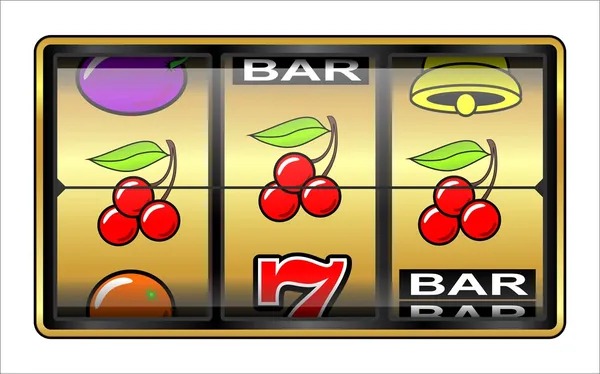
Gem Saviour is a multi-reel slot game built around a jewel-collection theme. When you log into ggwin on mobile or desktop, you'll find the game listed under our main slots catalog. The interface is straightforward: a spin button, your current balance display, and clear visual feedback each time the reels move. We've tested the animations across dozens of devices to ensure smooth frame rates even on mid-range Android phones.
The core mechanic revolves around matching symbols across paylines. We publish the exact payline count, symbol values, and return-to-player percentage in our in-game information panel—no hidden mechanics. Players can adjust their stake per spin within preset ranges, and the bet amount updates your potential win or loss instantly. This transparency helps you make informed decisions about how much to wager during each session.
Mobile-First Design on ggwin
We built Gem Saviour with portrait and landscape orientations so you can play comfortably holding your phone however feels natural. The spin button stays accessible, the balance and bet displays remain visible, and the reel animations adapt to your screen size without pixelation or lag.
Our Android app pre-loads game assets during the first launch, so subsequent spins require minimal data. If you're playing on WiFi during Idul Fitri or Idul Adha holidays when traffic peaks, or using mobile data on a commute across the city, our adaptive streaming adjusts automatically to keep play smooth.
Accessing Gem Saviour: Android App vs. Browser
On ggwin, you have two main ways to reach Gem Saviour. Our Android app is available for download directly from our site's app portal—no need to hunt through third-party marketplaces. Installation takes roughly a minute; you grant standard permissions (storage for game files, internet for live data), and the app opens to our login screen. Once you enter your credentials, your account balance syncs immediately, and you can launch Gem Saviour straight away.
iOS users connect through our mobile-optimized web browser. Open ggwin.pro in Safari, log in with the same account, and tap Gem Saviour just as you would on Android. The experience is nearly identical to the app—same smooth animations, same real-time balance updates, same secure connection. We don't require a separate app download for iOS; the web platform handles everything.
Account Login Persists Across Devices
Your ggwin account is shared across all your devices. Log in on your phone in the morning, then pick up on your tablet in the evening—your balance, game history, and settings all carry over instantly. We use encrypted tokens to keep sessions secure without requiring you to re-enter your password every time.
Payment Methods and Withdrawal Flow
We accept deposits via several popular Indonesian payment channels on ggwin. DANA, e-wallet, mobile banking, local payment, and online payment are all integrated into our deposit form—just select your preferred method, enter the amount, confirm the transaction on your banking app, and your balance updates within seconds. For users in Bandung or other regions who prefer traditional bank transfers, we also support e-wallet, mobile banking, local payment, online payment, and e-wallet direct deposits.
Withdrawals follow a straightforward process. Navigate to your account menu under "Withdraw" (or "Tarik mobile banking" in our Indonesian interface), select your destination bank or e-wallet, and confirm the amount. We verify your identity and account status to prevent fraud, then route your payout to your registered payment method. Processing times vary by your chosen channel—e-wallets like local payment and online payment typically complete faster than bank transfers, but exact windows depend on your bank's queue and your account verification level.
- Account verification
- We require government ID and proof of address to process large withdrawals. This KYC step protects both you and our platform from fraud. Initial verification can take a few hours; subsequent withdrawals from verified accounts usually process faster.
- account preferences
- Your account has daily and monthly deposit ceilings based on your verification status. You can adjust these in your settings at any time. We do not impose withdrawal limits for verified accounts.
- Transaction history
- Every deposit and withdrawal appears in your account ledger on ggwin, with timestamps and confirmation codes. You can download this history for your records whenever needed.
Push Notifications and Session Management
When you install our Android app or enable notifications in your browser, ggwin sends you optional alerts. Live-game updates notify you if a Liga 1 or Piala AFF fixture you've bookmarked is about to start. Promotional reminders tell you about limited-time offers. Account alerts warn you if there's unusual activity or if a withdrawal is pending. You control every category in our notification settings—toggle each one on or off, choose quiet hours, or mute all alerts except account security messages.
Our session management prioritizes your security. If you close the app without manually logging out, your session expires after a set period of inactivity—typically subject to verification. When you return, you'll need to log in again. This prevents unauthorized access if you leave your phone unattended. You can also manually log out from all devices at once in your account settings, which is useful if you suspect your password has been compromised or if you're sharing a device temporarily.

Data Usage and Network Efficiency
Gem Saviour's graphics are optimized to run efficiently even on slower connections. Our adaptive bitrate technology detects your network speed and adjusts video and animation quality accordingly. On a 4G LTE connection in Jakarta, you'll see full-resolution animations. On a slower 3G or congested WiFi, the game automatically reduces visual fidelity while keeping gameplay responsive. This means you're not draining your monthly data plan just to enjoy a few spins.
Our Android app caches core game assets after the first download, so repeat sessions use significantly less data than that initial install. The app also compresses data packets during transmission. If you're traveling and checking in on Gem Saviour during a commute, or playing tethered to a limited mobile hotspot, you'll notice the difference compared to other gaming platforms that don't prioritize efficiency.
-
1
Install ggwin app or open browserSetup
Download our Android app from ggwin.pro or open our site in Safari for iOS. Installation or bookmark setup takes under a minute.
-
2
Create or log into your ggwin accountVerification
Enter your email and password. If you're new, provide your phone number and agree to our terms. We verify your email before you can deposit.
-
3
Deposit via your preferred payment methodFunding
Choose e-wallet, mobile banking, local payment, online payment, e-wallet, mobile banking, or a bank transfer. Confirm on your banking app; funds arrive instantly or within moments.
-
4
Open Gem Saviour and set your stakePlay
Navigate to Gem Saviour in our slots menu. Choose your bet amount and tap Spin. Animations play at full speed on a good connection, adjusting gracefully if your network dips.
-
5
Withdraw your balance when readyCashout
Go to Withdraw, pick your destination account, confirm your identity if required, and submit. Payouts route back to your local payment, online payment, bank account, or other registered method.
Account Security and Responsible Play
We protect your account with multiple security layers on ggwin. Your login credentials are encrypted during transmission using TLS 1.3. We never store your full payment card details—instead, we work with secure payment processors who handle sensitive information. Two-factor authentication (2FA) is available in your account settings; we recommend enabling it so that even if someone obtains your password, they cannot access your account without your phone.
Your personal data—identity, address, payment methods—is stored in encrypted databases and shared only with authorized team members and regulatory partners when required by law. We do not sell your information to third parties. If you believe your account has been compromised, contact our support team immediately; we can reset your password, review your transaction history, and help you recover any unauthorized activity.
Jurisdiction and Service Availability
Our services on ggwin are available only in jurisdictions where online gaming is legally permitted. Users are responsible for verifying that their access and use of our platform comply with their own jurisdiction's laws. We do not offer our services in jurisdictions where online wagering is prohibited. If you're traveling or relocating, check your local regulations before using ggwin on mobile or desktop.

Gem Saviour Beyond Mobile: Desktop and Extended Play
While this guide emphasizes mobile access, Gem Saviour runs equally well on desktop browsers. If you prefer a larger screen, you can log into ggwin on your laptop and launch Gem Saviour there. The same account, the same balance, the same game mechanics—just with a wider view and potentially larger animation detail. We sync your progress instantly across devices, so a spin you make on mobile appears in your desktop history immediately and vice versa.
Many players use mobile for casual play during transit or downtime, then switch to desktop for longer sessions at home. Our platform handles this seamlessly. If you need to step away mid-session, log out on mobile and your balance is safe. When you return on desktop hours later, your account is exactly where you left it. This flexibility is one reason ggwin's integration across devices matters—you're never locked into a single form factor.
User experience rating
Based on player feedback across Android, iOS, and desktop platforms